Edit your schema. pgmt handles the rest.
Your schema files are the source of truth. pgmt tracks dependencies, applies changes instantly, and generates production-ready migrations.
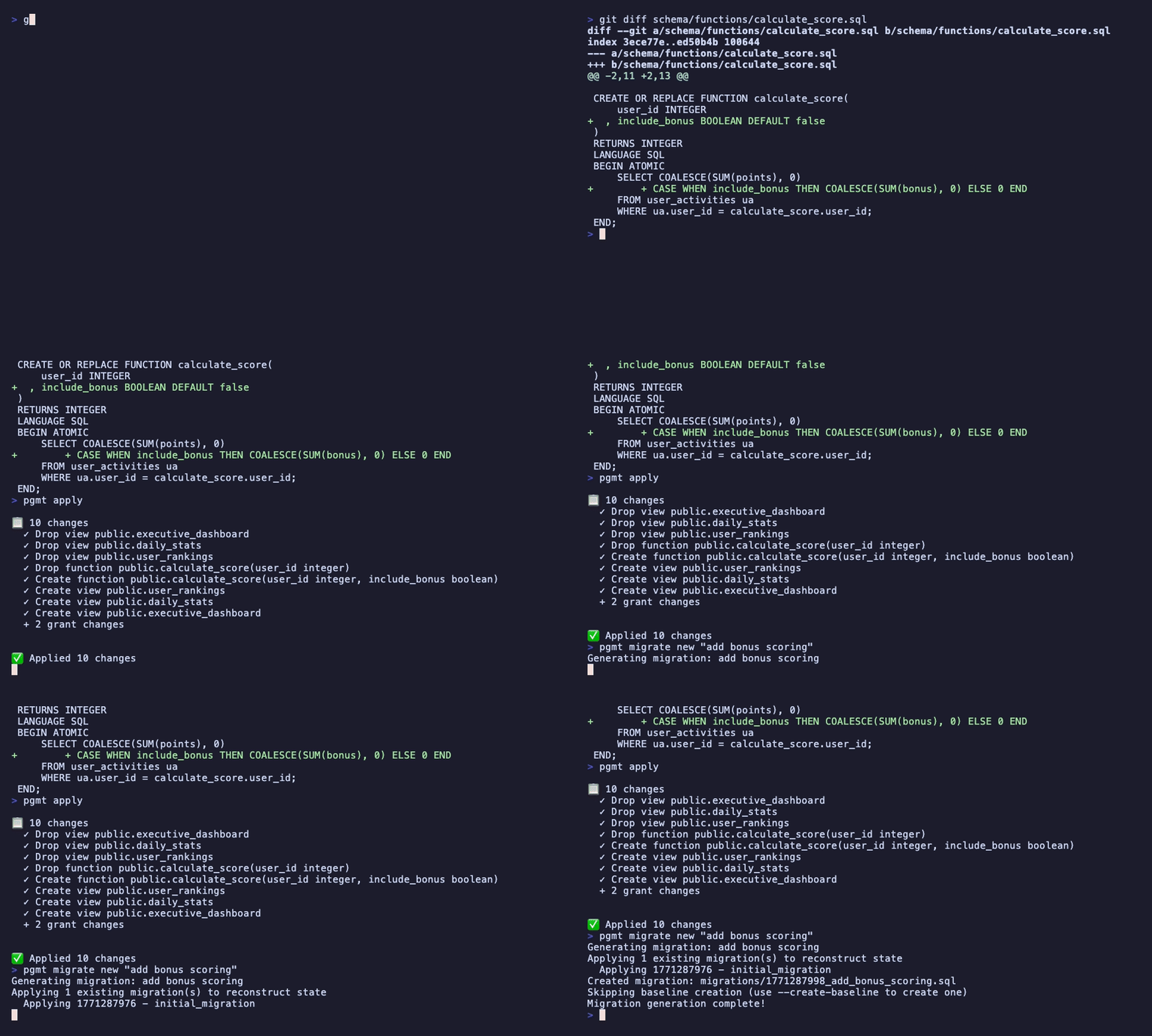
Your schema files
schema/
├── functions/
│   └── calculate_score.sql  ← changed
└── views/
    ├── user_rankings.sql       ← depends
    ├── daily_stats.sql         ← depends
    └── executive_dashboard.sql ← depends
One function changed. pgmt detected 3 dependent views, dropped them in the right order, applied the update, and recreated everything — automatically.
No manual dependency tracking. No copy-paste errors. No broken deploys.
Your database, with hot reload
Run pgmt apply --watch and forget about it. Edit a schema file, save — your dev database updates instantly. No migration files during development, no manual dependency management.
$ pgmt apply --watch
👀 Watching schema/ for changes...

  schema/functions/calculate_score.sql changed

📋 8 changes
  ✓ Drop view public.executive_dashboard
    ...
  ✓ Create view public.executive_dashboard

✅ Applied 8 changes
Production-ready when you are
When you're done iterating, generate an explicit migration file. Review it, edit it, deploy it. Nothing touches production without you approving it.
Multi-section migrations handle the hard stuff: concurrent indexes, data backfills, different timeouts and transaction modes — all in one file, with per-section retries.
Your team reviews intent, not mechanics
With traditional migrations, PRs show a wall of DROP and CREATE statements. With pgmt, your schema files are code — the diff shows what actually changed.
-- migrations/V042__update_score.sql
DROP VIEW executive_dashboard;
DROP VIEW daily_stats;
DROP VIEW user_rankings;
DROP FUNCTION calculate_score(integer);
CREATE FUNCTION calculate_score(
  user_id INTEGER,
  include_bonus BOOLEAN DEFAULT false
) RETURNS INTEGER AS $$ ... $$;
CREATE VIEW user_rankings AS ...
CREATE VIEW daily_stats AS ...
CREATE VIEW executive_dashboard AS ...Drift Detection
Compare production against your schema files. Catch unauthorized changes before they cause issues. CI-ready with JSON output.
Easy Rebase
Branch behind? One command regenerates your migration against the latest main. No manual conflict resolution.
Full PostgreSQL
Views, functions, triggers, RLS policies, grants, custom types, domains, extensions, sequences — everything, not just tables.
Any Framework
Works alongside Rails, Django, Go, Node, or no framework at all. pgmt manages the schema — your app just connects.
Ready to try it?
Get started in minutes.
curl -fsSL https://pgmt.dev/install.sh | sh